Faster responses. Better follow-up. No extra headcount.
You know what needs automating. Maybe it's the follow-up emails that don't get sent. The tickets that sit in a queue too long. The manual tasks your team does over and over, every single day.
You've probably even tried to fix it yourself. Built a few Zaps. Set up some rules. But it didn't quite stick or it broke the moment something changed.
Automation Implementation is for when you're ready to do it properly.
We build the automation flows, set up the routing and alerts, roll it out to your team, and stick around for 30 days to make sure it actually works in the real world.
What You Get at the End
Automation that works: flows that run reliably, not duct-taped workarounds
Faster response times: tickets routed, tagged, and acknowledged automatically
Follow-up that happens: sequences that run without your team remembering to send them
Alerts that matter: notifications for the stuff that needs attention, not noise
A team that's trained: your people know how it works and how to maintain it
Automation Implementation is for teams that have already done the thinking. You know where the manual work is. You know what’s slowing you down. You just need someone to build it properly and make sure it sticks.
You’re a good fit if:
You’ve already identified what needs automating
You’ve tried DIY automation but it didn’t hold
You want faster throughput without hiring more people
Your systems (CRM, helpdesk, email) can talk to each other, you just need someone to wire them up
You want it done right, with training and a bedding-in period
How it works
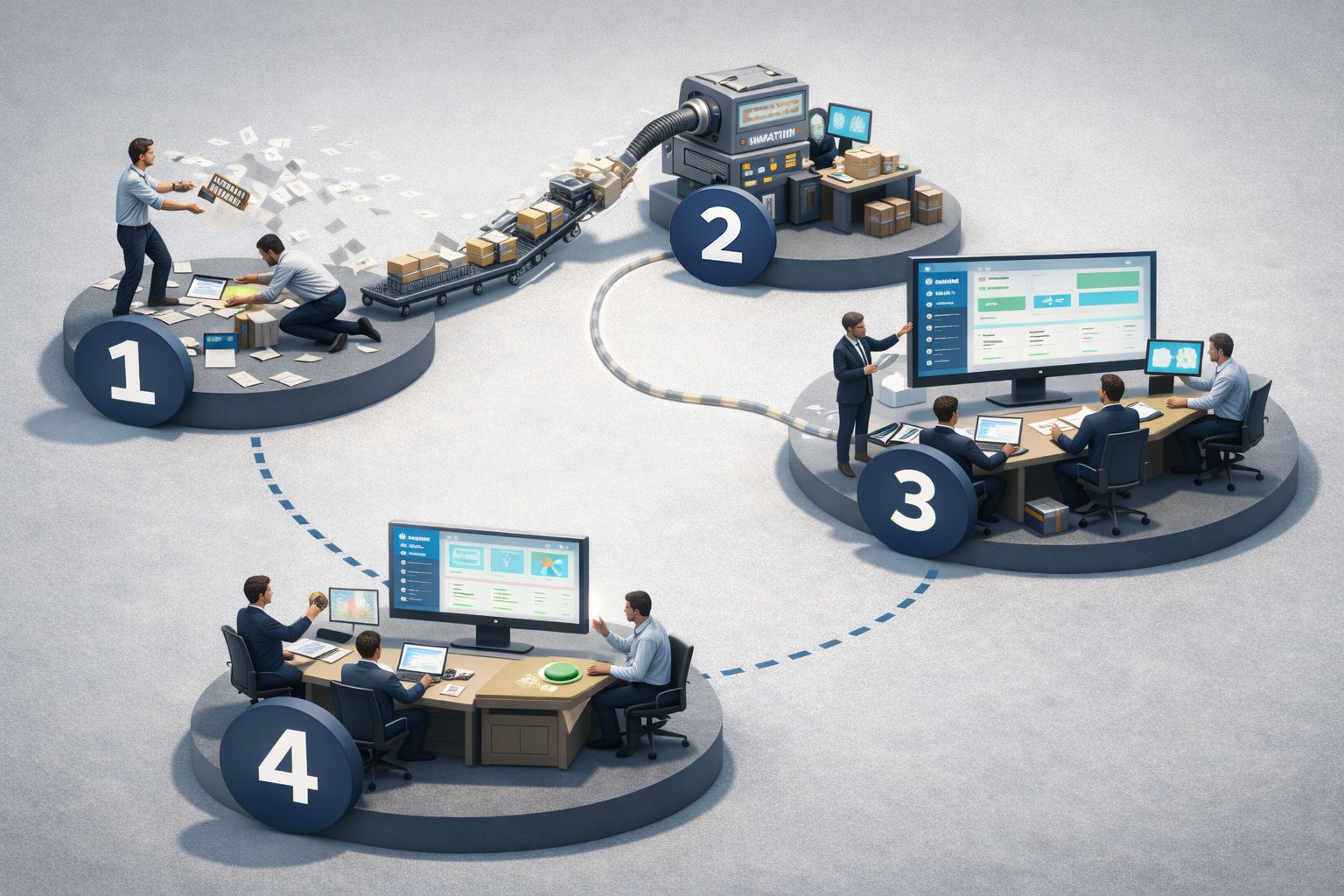
Our method, in four steps.
Four to six weeks. We design it, build it, roll it out, and optimise it until it runs smoothly.
Phase 1: Design (Week 1)
We map out what you need automated: the triggers, the logic, the actions. We check your systems, confirm what's possible, and design flows that fit how your team actually works.
No theoretical blueprints. Just practical automation.
Phase 2: Build (Weeks 2–3)
We build the automation. This includes routing rules, tagging logic, follow-up sequences, internal alerts, and any integrations needed between your systems. Everything gets tested before it touches real data.
Phase 3: Rollout & Training (Week 4)
We go live. Your team gets trained on how the automation works, what to watch for, and how to troubleshoot common issues. No black boxes! Your people will understand what's happening under the hood.
Phase 4: Optimisation (Weeks 5–6)
We monitor, tweak, and refine. Real-world usage always surfaces edge cases. We stick around for 30 days to catch them and adjust the automation until it runs clean.
What's Included
Your new operating system
Automation Flows
Custom workflows that trigger, route, and act based on your specific business rules
Routing & Tagging
Automatic categorisation and assignment so work lands in the right place
Follow-Up Sequences
Timed email or task sequences that run automatically after key events
Internal Alerts
Notifications to the right people when something needs attention
Team Training
Hands-on training so your team understands and can maintain the system
30-Day Optimisation
Ongoing refinement after go-live to catch edge cases and fine-tune performance